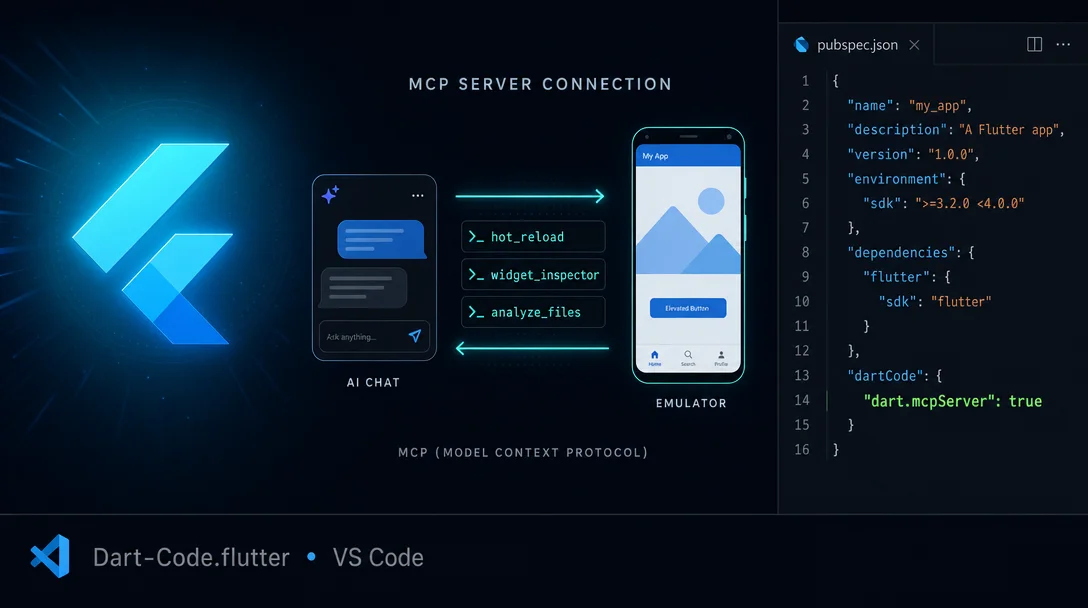
One flag gives your AI agent live control of your Flutter app
Dart-Code.flutter (v3.137.20260601, 13.97M installs) is the official Flutter VS Code extension by Google. Flutter 3.44 shipped an MCP server that lets GitHub Copilot, Cursor, Claude Code, and Codex CLI call 15+ live development tools — hot reload, widget inspector, runtime error fetch, and more — directly against your running app. Enable it with a single settings flag: "dart.mcpServer": true.

리서치 브리프
You paste code into Copilot, it writes a fix, you copy it back, run it, hit an error, paste that in — the loop is familiar. With Flutter development this gets worse: the agent has no idea whether your emulator is even running, let alone what the widget tree looks like or whether
dart analyze is happy.Flutter 3.44 (released at Google I/O 2026, May 20) shipped an official Dart & Flutter MCP Server that changes this. Enable it with one line in VS Code settings, and GitHub Copilot, Cursor, Claude Code, or Codex CLI gains direct access to 15+ live development tools: hot reload, widget inspector, runtime error analysis, pub.dev search, and more. 1
Extension:
Dart-Code.flutter (v3.137.20260601) · 13.97M installs · Free · VS Code MarketplaceThe problem: agents operate blind
A typical AI-assisted Flutter session before Flutter 3.44 looked like this:
- Ask the agent to add a feature
- Agent writes code — and stops there
- You run
flutter run, watch the emulator - A runtime error surfaces — you copy it, paste it back to the chat
- Agent suggests a fix; you apply it, hot-reload manually
- Agent has no idea whether the reload worked
Every handoff between the chat panel and the terminal or emulator is a context switch you do by hand. The agent modifies files but never sees the consequences.
The fix: one settings flag
Open VS Code settings (
Cmd+, / Ctrl+,), search for dart.mcpServer, and enable it — or add this line to your settings.json:{
"dart.mcpServer": true
}That's all. The Dart extension (v3.114+, bundled with any current Flutter extension install) auto-registers the MCP server using VS Code's native MCP API. 1 No separate install, no
mcp.json to write for GitHub Copilot in VS Code.For Cursor, add an entry to
.cursor/mcp.json in your project root:{
"mcpServers": {
"dart": {
"command": "dart",
"args": ["mcp-server"]
}
}
}Claude Code and Codex CLI pick up the same JSON format in their respective config files.
What the agent can actually do now
Once connected, the agent gets a set of tools it can call autonomously — no clipboard required. 2
| Tool | What it does |
|---|---|
hot_reload | Triggers hot reload on the running app |
hot_restart | Full restart — clears state |
get_runtime_errors | Fetches live exceptions from the running app |
widget_inspector | Reads the current widget tree |
analyze_files | Runs dart analyze and returns diagnostics |
pub_dev_search | Searches pub.dev for packages |
run_tests | Runs the test suite |
lsp | Hover docs, signature help, symbol resolution |
read_package_uris | Resolves package URIs safely |
The bridge is the Dart Tooling Daemon (DTD) — a long-running process the Dart extension starts alongside your app. The MCP server discovers running apps through DTD and connects automatically. Khanh Nguyen (Flutter team) describes it as: 3
"In a big leap forward for AI-assisted development, we are launching Agentic Hot Reload: The MCP server and your favorite coding agent will now automatically find and connect to running Dart and Flutter applications."
The result: the agent modifies a file, calls
hot_reload, the app updates, and the agent calls get_runtime_errors to see whether anything broke — all without you touching the keyboard.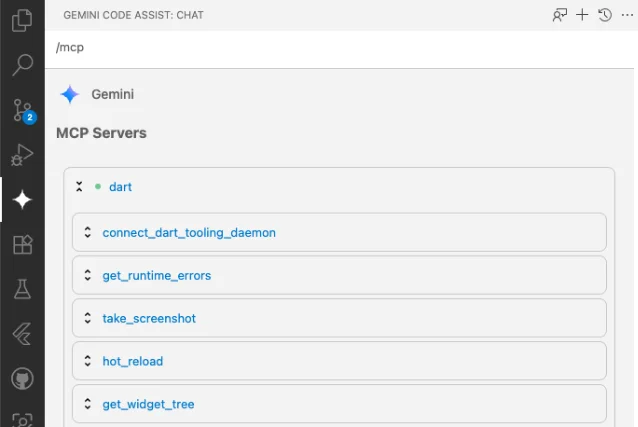
/mcp command confirming the Dart MCP server is connected with tools including hot_reload, widget_inspector, and get_runtime_errors. 2See it in action: Agentic Hot Reload demo
The official demo shows Gemini CLI modifying a Flutter star counter app — changing theme colors and animation behavior — while the Android emulator hot-reloads on every iteration. The agent never leaves the terminal.

hot_reload directly; the emulator reflects each update without manual intervention. 4Connie Ooi (Dart team) summarizes the before/after: 4
"Your coding agent can now automatically hot reload, eliminating the friction of having to manually find and copy Dart Tooling Daemon (DTD) connection URIs."
콘텐츠 카드를 불러오는 중…
Dart 3.12 bonus: private named parameters
While you're on Flutter 3.44 / Dart 3.12, the IDE quietly gained support for a quality-of-life language fix that eliminates a specific boilerplate pattern.
Before Dart 3.12, you couldn't use
this._field as a named initializing formal parameter. The workaround meant duplicating field names in the constructor signature:// Before Dart 3.12 — verbose workaround
class Hummingbird {
final String _petName;
final int _wingbeatsPerSecond;
Hummingbird({required String petName, required int wingbeatsPerSecond})
: _petName = petName, _wingbeatsPerSecond = wingbeatsPerSecond;
}Dart 3.12 allows
this._fieldName directly. The compiler strips the leading underscore to derive the public parameter name: 4// Dart 3.12 — one constructor line
class Hummingbird {
final String _petName;
final int _wingbeatsPerSecond;
// ✅ IDE shows named params as: petName, wingbeatsPerSecond
Hummingbird({required this._petName, required this._wingbeatsPerSecond});
}
// Call site unchanged:
Hummingbird(petName: 'Dash', wingbeatsPerSecond: 75)The Dart Analysis Server handles this natively — hover, completion, and signature help all surface the public names (
petName, wingbeatsPerSecond) while the backing fields stay private. No extension update required beyond having Dart 3.12.Gotcha: KGP warning on Android builds
If you're upgrading an existing project to Flutter 3.44, Android builds may show a warning about the Kotlin Gradle Plugin (KGP). Android Gradle Plugin (AGP) 9 now treats Kotlin as a built-in feature, but many existing plugins still apply KGP themselves, causing the conflict. 5
The official temporary workaround is to add two lines to
android/gradle.properties: 6android.builtInKotlin=false
android.newDsl=falseFlutter will add these automatically on the next build for most project types. Projects using add-to-app need to add them manually. These flags are temporary — the Flutter team plans to remove them in a future release once the ecosystem has migrated. 6
Known affected plugins include
firebase_remote_config, device_info_plus, sentry_flutter, audioplayers, and flutter_reactive_ble. 5 If your build fails on a specific plugin, file an issue with that plugin's maintainer.Quick reference
| Extension ID | Dart-Code.flutter |
| Current version | 3.137.20260601 |
| Dart extension | Dart-Code.dart-code (auto-installed) |
| Installs | 13.97M |
| Rating | 4.86 / 5 (98 reviews) |
| Minimum VS Code | 1.75.0 (Flutter ext); 1.101.0 (Dart ext) |
| Minimum SDK | Dart 3.2 / Flutter 3.16 |
| MCP server requires | Dart-Code extension v3.114+ |
| License | MIT |
| Publisher | Dart Code (Google, verified) |
Cover image: AI-generated illustration.
이 콘텐츠를 둘러싼 관점이나 맥락을 계속 보강해 보세요.